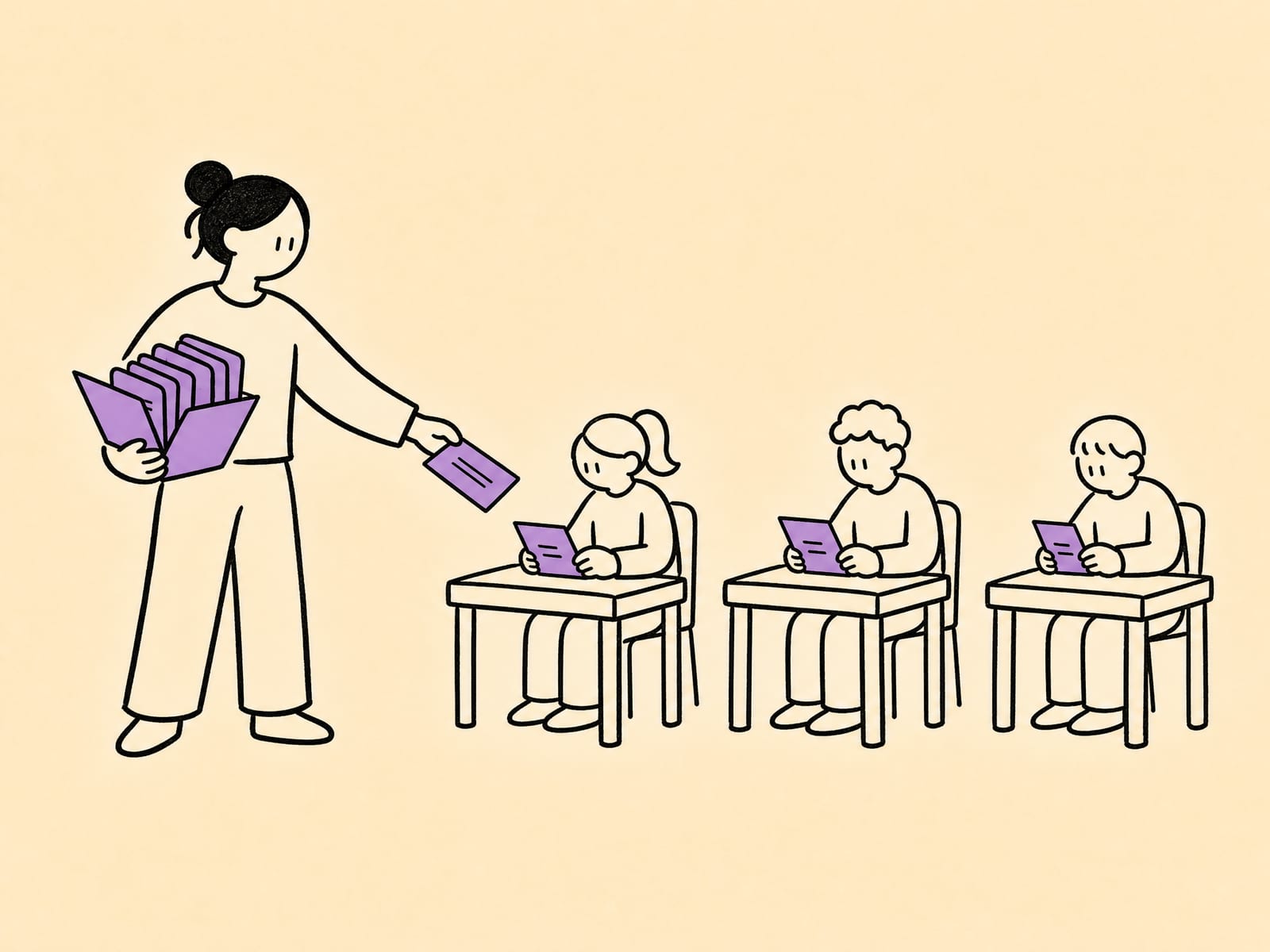
Claude subagents + skills: what we learned across 40 deployments
Subagent and skills patterns from a Claude Partner studio with 40 agents in production — when each is the right unit, the code shapes we reuse, handoffs that don't blow up the token bill, and 3 failure modes.
Most Claude agent demos are a single prompt doing a single thing. That works until the agent has to do five things — read a ticket, classify it, pull the customer's history, draft a reply, and decide whether a human should see it before it sends. Cram all of that into one context and two things happen: the prompt balloons, and the model starts losing the thread halfway through because the window is full of search results and file contents it no longer needs.
We build and run Claude agents for ops and finance teams, with 40 of them in production today. The two primitives that did the most to make those agents reliable — not smarter, reliable — are subagents and skills. A Claude sub agent is a specialized worker that runs in its own context window and reports back a short result.1 A skill is a reusable bundle of instructions and tools the agent loads only when it needs it.2 Used well, they turn one overloaded prompt into a small, legible team of focused parts.
This is the operator's guide to using them in production: when a subagent is the right unit and when a skill is, the three patterns we reach for most, and the three failure modes we've paid for. It's the companion to our full Claude Agent SDK playbook — that post covers the SDK end to end; this one goes deep on the two primitives that decide whether a multi-step agent holds together.
Quick overview: 5 lessons at a glance
If you read nothing else, these are the five things 40 deployments taught us about Claude subagents and skills.
| Lesson | The short version |
|---|---|
| 1. Subagents are for context, not cleverness | The win is isolation — a noisy step runs in its own window and returns a clean summary. It doesn't make the model smarter; it stops the model from drowning. |
| 2. Skills are for reuse, not one-offs | If a capability shows up in two agents, it's a skill. A skill written once and loaded on demand beats the same instructions pasted into five prompts. |
| 3. Return summaries, never transcripts | A subagent's value evaporates if it hands its whole transcript back. Define a small typed return shape and enforce it. |
| 4. Mix models per subagent | Each subagent is its own context, so put Haiku on classification and Opus on judgment. You pay the premium only where it earns its keep. |
| 5. The graph should fit on a napkin | One coordinator plus two to four specialists handles almost everything. If you're wiring ten subagents, you have a missing skill or an over-split task. |
The thread connecting all five: subagents and skills are organizational tools, not capability tools. They don't unlock things Claude couldn't otherwise do. They keep a capable model from being buried under its own working memory — which, at production scale, is most of what goes wrong.
The rest of this post is the long version: when to pick each unit, the three patterns we ship, and where they break.
Subagents vs skills — when each is the right unit
These two get conflated constantly, partly because Claude agent teams use them together. They solve different problems, and picking the wrong one is the most common design mistake we see. Multi-agent design is an active research area with no single settled blueprint,5 so the practical question isn't "what's theoretically optimal" — it's "which unit fits this part of the workflow."
A subagent is a worker. It's a specialized assistant with its own context window, its own system prompt, its own tool access, and its own permissions. The main agent hands it a scoped task; it does the work in isolation and returns a result.1 The defining property is the separate context — whatever the subagent reads, searches, or reasons through stays in its window, and the coordinator only ever sees the summary it returns.
A skill is a capability. It's a directory with a SKILL.md file — YAML frontmatter holding a name and a description, plus supporting instructions, scripts, and reference files. The agent pre-loads only each skill's name and description at startup, then loads the full contents into context on demand when a task matches.2 The defining property is progressive loading: a library of fifty skills costs you fifty short descriptions in the prompt, not fifty full documents.
Here's the distinction as a decision table:
| You have… | Use a… | Because |
|---|---|---|
| A step that floods context with logs/files/results | Subagent | Isolation — the noise stays in its window |
| A step needing narrower tools or tighter permissions | Subagent | Each subagent gets its own tool + permission set |
| Independent tasks you want to run at once | Subagent | Separate contexts run in parallel |
| Know-how reused across two or more agents | Skill | Write once, load on demand, version centrally |
| A repeatable procedure with its own scripts/templates | Skill | Bundle the instructions + assets together |
| Domain rules that change without touching agent code | Skill | Edit the skill folder, not the prompt |
The mental model that keeps us straight: subagents isolate work; skills package know-how. They compose. A triage subagent (a worker) loads the routing-taxonomy skill (a capability) while it runs. You're not choosing one or the other across the whole agent — you're choosing the right unit for each part.
The most common mistake is using a subagent where a skill belongs. A team notices their support agent and their billing agent both need the refund-policy logic, so they build a "refund-policy subagent" both call. Now every refund question pays the cost of spinning up a separate context and a round-trip, when all they needed was a refund-policy skill loaded inline. Subagents earn their overhead through isolation and parallelism. If you're not getting one of those two things, you probably want a skill.
The inverse mistake is rarer but worse: stuffing a genuinely context-heavy task into a skill and watching it drag the whole conversation down. Skills load into the current context. If the "skill" is really a 10,000-token research dump, it belongs behind a subagent boundary, not loaded inline.
Pattern 1: triage subagents for classification
This is the pattern we ship most, because nearly every ops workflow starts with "what is this, and where does it go?"
Definition. A triage subagent takes one input — a ticket, an email, a document, an event — and returns a single structured classification: a type label, a route, and a confidence flag. It does nothing else. It doesn't draft the reply or book the meeting; it decides what kind of thing this is so the coordinator can route it.
When to use it. Use a triage subagent when the front of your workflow is a branch: inbound items arrive in mixed types and each type needs a different downstream path. Pulling triage into its own subagent does two things. It keeps the classification reasoning — which often involves reading the full item and weighing signals — out of the main context. And it lets you put a cheap, fast model on a step that runs on every single item.
Code shape. The triage subagent's contract is the important part: a tight system prompt, a small typed return, and the cheapest model that classifies reliably. We run these on Claude Haiku 4.5 because classification is where its speed and price pay off.
# Triage subagent contract — Claude Haiku 4.5, returns a typed verdict only.
TRIAGE_SYSTEM = """You are a triage classifier for an AP inbox.
Classify the document into exactly one route and return ONLY the JSON shape below.
Routes: INVOICE, CREDIT_NOTE, STATEMENT, NOT_AP.
Set needs_review=true if the type is genuinely ambiguous.
Do not extract fields. Do not draft anything. Classify and stop."""

TRIAGE_SCHEMA = {
    "route": "INVOICE | CREDIT_NOTE | STATEMENT | NOT_AP",
    "confidence": "high | medium | low",
    "needs_review": "boolean",
    "reason": "one short sentence",
}
# The coordinator routes on `route`; anything with needs_review=true
# or confidence=low is sent to a human queue before any downstream work runs.
The discipline that makes this work: the subagent returns the verdict and nothing else. The coordinator never sees how the classifier weighed the document — only the four fields it hands back. That's the whole point of the context boundary.
Failure mode. The trap is letting the triage subagent do "just a little" extraction while it's already looking at the document. It feels efficient — the model has the invoice open, why not grab the total too? But the moment triage returns extracted fields, it owns two jobs, its prompt grows, and its accuracy on the job that mattered — the route — drops. We learned to keep triage ruthlessly single-purpose. Extraction is a separate subagent on a separate model, and it only runs after triage has confirmed the item is the type that warrants it. We go deeper on the classify-before-extract discipline in our invoice OCR field notes.
Pattern 2: skills as reusable tool bundles
Once you have a handful of agents in production, you notice the same know-how showing up everywhere — the same data-normalization rules, the same house formatting, the same domain taxonomy. That repetition is the signal for a skill.
Definition. A skill is a folder the agent loads on demand: a SKILL.md with a name and description in its frontmatter, plus the instructions, scripts, and reference files that capability needs.2 Because only the name and description sit in the prompt until the skill is actually invoked, you can keep a large library available without paying for all of it on every call. Claude agent skills are portable too — the format is an open standard, so the same folder runs across Claude Code and the Agent SDK.2
When to use it. Build a skill when a capability is (a) reused across more than one agent, (b) a self-contained procedure with its own steps or assets, or (c) a set of domain rules that change on a different schedule than your agent code. That last one is the quiet winner: when the finance team's coding rules change, we edit the gl-coding skill folder and every agent that loads it picks up the change — no agent redeploy, no prompt surgery.
Code shape. A skill is mostly a well-written SKILL.md. The frontmatter is what the agent sees first; the body is loaded only when the description matches the task.
---
name: invoice-normalization
description: >-
  Normalize extracted invoice fields to house format — currency codes,
  decimal/locale handling, supplier name canonicalization. Use whenever
  raw invoice fields need to be standardized before writeback.
---

# Invoice normalization

1. Currency: map symbols to ISO 4217 (€ -> EUR). No default currency; flag if absent.
2. Numbers: detect locale, normalize decimal/thousands separators. Flag any
   amount whose magnitude shifts >10x after normalization.
3. Supplier: canonicalize against the supplier master (see ./supplier_aliases.csv).
...
The frontmatter description is doing real work: it's the entire basis on which the agent decides whether to load this skill, so it has to name the trigger conditions plainly. A vague description ("helps with invoices") gets loaded at the wrong times or not at all. A precise one ("use whenever raw invoice fields need to be standardized before writeback") loads exactly when it should.
Failure mode. The failure here is the over-eager skill — a description so broad the agent loads it constantly, defeating the progressive-loading benefit and crowding the context with instructions the task didn't need. We've had a skill with a description like "general data helpers" that loaded on nearly every call. The fix was to split it into three narrow skills with sharp descriptions, each loading only for its actual trigger. Narrow, well-described skills are the whole game; a skill that loads when it shouldn't is just prompt bloat with extra steps.
Pattern 3: subagent handoffs without token blowup
This is the pattern that separates a multi-subagent agent that's cheaper from one that's accidentally more expensive than the monolith it replaced.
Definition. A handoff is the moment a subagent finishes and passes its result back to the coordinator (or to the next subagent). Done right, what crosses the boundary is a small typed summary. Done wrong, the subagent's entire working transcript — every file it read, every tool result — flows back into the coordinator's context, and you've paid for isolation while getting none of its benefit.
When to use the discipline. Always, the moment you have more than one subagent. The token cost of a multi-subagent workflow is dominated by what crosses the handoff boundaries, not by the number of subagents. Two subagents that each return a 50-token summary are cheap. Two subagents that each return a 4,000-token transcript are a bonfire.
Code shape. The coordinator defines the return contract; subagents fill it and nothing more. In the Agent SDK you wire subagents programmatically and the coordinator merges their typed returns.3
# Coordinator fans out to independent subagents, each returning a SMALL typed result.
async def handle_ticket(ticket):
    # These three are independent -> run concurrently, separate contexts.
    triage, history, kb = await gather(
        run_subagent("triage",  ticket, model="haiku-4.5", schema=TRIAGE_SCHEMA),
        run_subagent("history", ticket, model="haiku-4.5", schema=HISTORY_SCHEMA),
        run_subagent("kb_lookup", ticket, model="sonnet-4.6", schema=KB_SCHEMA),
    )
    # Each result is a small dict (tens of tokens), not a transcript.
    if triage["needs_review"] or triage["confidence"] == "low":
        return route_to_human(ticket, triage)
    # Only the hard step gets the expensive model + the merged context.
    return await run_subagent(
        "draft_reply",
        {"ticket": ticket, "triage": triage, "history": history, "kb": kb},
        model="opus-4.8", schema=REPLY_SCHEMA,
    )
Two things make this cheap. First, the three lookups are independent, so they run in parallel in separate contexts — the coordinator waits once, not three times. Second, only draft_reply — the step that actually needs judgment — runs on Claude Opus 4.8; everything upstream runs on Haiku or Sonnet. Because each subagent is its own context, mixing models in one agent teams Claude workflow is free to do, and it's where most of the cost savings live.
Failure mode. The expensive failure is the "helpful" subagent that returns context the coordinator didn't ask for — "here's the classification, and also the full ticket text, the customer's last five tickets, and my reasoning." Each of those re-enters the coordinator's window and gets carried through the rest of the workflow, multiplying as later steps inherit it. The fix is a hard return schema enforced at the boundary: the subagent returns exactly the declared fields, and the coordinator ignores anything else. We treat the return shape as a contract, not a suggestion — the same way we treat the typed pipelines in our case for typed pipelines over Zapier.
3 failure modes we've seen in production
Each of these cost us real money or real reliability before we built the guardrail. They're ordered by how often they bite.
Failure mode 1: over-decomposition. Early on, more subagents felt like better engineering, so we'd split a workflow into eight or nine. The result was slower and more expensive than the monolith: every split adds a description to write, a route to maintain, and a handoff to pay for. Worse, the coordinator spent more of its own reasoning just orchestrating than the subagents saved. The fix was a rule we now hold to — one coordinator plus two to four specialists. If a workflow seems to need more, it's almost always a sign that several "subagents" are really one skill, or that a step was split that didn't need splitting. The napkin test: if you can't draw the agent graph on a napkin, it's too complex to debug at 2am. We're not alone in this warning — Cognition makes the stronger version of the argument, that many tasks split across parallel agents are more reliable run single-threaded, because parallel subagents fragment context and produce conflicting decisions.4 Our view is less absolute — isolation and parallelism are real wins when the tasks are genuinely independent — but the caution against reflexive splitting is exactly what production taught us.
Failure mode 2: the skill that loads at the wrong time. A skill's description is the only thing the agent uses to decide whether to load it, and a sloppy description silently breaks the whole progressive-loading model.2 We had a formatting skill with a broad description that loaded on nearly every call, quietly adding a thousand tokens of instructions to tasks that never needed them — and a domain skill with such a narrow description that it never loaded when it should have, so the agent improvised rules it should have looked up. Both are description bugs, not capability bugs. The fix: write descriptions that name the trigger condition explicitly ("use when X"), and check, in the eval set, that each skill loads on the cases it should and stays dormant on the cases it shouldn't.
Failure mode 3: silent handoff bloat. The most insidious one, because nothing breaks — the agent keeps working, the bill just creeps. A subagent starts returning a little extra context "to be safe," that context rides along through every downstream step, and a workflow that should cost a fraction of a cent drifts to several cents without a single error in the logs. We caught it the hard way: a monthly cost review showed one agent's per-run cost had tripled over six weeks with no code change — a subagent's return had quietly grown. The fix is twofold: enforce the return schema at the boundary so extra fields can't ride along, and put per-run token cost in the same dashboard as accuracy, so a cost regression is as visible as an accuracy one. We wire that monitoring in with the eval suite we attach to every agent.
The thread across all three: the model is rarely the problem. The failures live in the seams — how the work is split, when capabilities load, and what crosses the handoff boundary. That's where the engineering attention belongs, not on squeezing another point out of the prompt.
What to ship next + further reading
If you're building a multi-step Claude agent — or untangling one that's grown unwieldy — here's the order we'd build in:
- Start with one coordinator and a triage subagent. Get the front-of-workflow classification isolated and running on a cheap model. This alone cleans up most context problems.
- Pull repeated know-how into skills. Anything used by two agents, or any domain rule that changes on its own schedule, becomes a skill with a sharp
SKILL.mddescription. - Add specialist subagents only where you get isolation or parallelism. Two to four is plenty. If a step doesn't give you one of those two benefits, keep it inline or make it a skill.
- Enforce typed returns at every handoff. Small JSON in, small JSON out. The return shape is a contract.
- Put token cost next to accuracy in your monitoring. Handoff bloat is invisible until you measure it, and it's the failure that costs you without ever throwing an error.
Notice how little of that is about the model. Subagents and skills are organizational primitives — they decide how the work is divided and how capabilities are loaded, not how smart any single step is. Get the organization right and a capable model stays capable across a long, branching workflow instead of losing the thread.
If you want help designing or untangling one of these, our custom-agent build service ships this exact shape — a coordinator, scoped subagents, a versioned skills folder, and an eval set — inside a fixed-scope engagement. The lowest-commitment way to start is a working session on your hardest workflow: we map where subagents and skills fit and where they don't. Book a strategy call and we'll scope it.
Further reading, in the order we'd sequence it:
- Claude Agent SDK in production: a studio's playbook — the full SDK picture these two primitives sit inside, with the broader pattern library.
- Agentic AI for ops teams: 6 patterns we ship — where subagent decomposition fits among the other production patterns.
- Eval suites that catch drift before customers do — how we keep subagent accuracy and per-run cost from silently sliding after a model update.
The numbers behind this post — 40 agents in production, the per-run costs, the model mix — aren't a benchmark we ran once for a slide. They're how these agents run today. The reason they hold together isn't a clever prompt; it's the boring discipline around the two primitives: isolate work in subagents, package know-how in skills, and keep the handoffs small.
Frequently asked questions
What is a Claude subagent?
A Claude subagent is a specialized assistant that runs in its own context window with its own system prompt, its own tool access, and its own permissions. The main agent delegates a scoped task to it; the subagent does the work in isolation and returns only a short result. The point is context hygiene — a noisy side task (searching logs, reading ten files, classifying a document) happens in the subagent's window instead of flooding the main conversation.1
What's the difference between a Claude subagent and a skill?
A subagent is a worker — a separate context that performs a task and reports back. A skill is a capability — a folder of instructions, scripts, and resources an agent loads on demand to do a specific job well.2 Subagents isolate work; skills package know-how. Most production agents use both: a subagent that, while running, loads the skills it needs.
When should I use a subagent instead of just a longer prompt?
Reach for a subagent when a step would otherwise dump tokens you'll never reference again into the main context, when a step needs a narrower tool set or tighter permissions than the main agent, or when you want to run several scoped tasks in parallel. If the step is small and its output feeds directly into the next sentence the model writes, a subagent is overhead, not help.
How many subagents is too many?
Past a handful of subagents per workflow, the coordination cost — describing each one, routing to it, merging its result — starts to outweigh the isolation benefit. We keep most production graphs to one coordinator plus two to four specialists. If you find yourself wiring ten subagents, the real problem is usually a missing skill or an over-decomposed task.
What is a Claude skill, concretely?
A skill is a directory containing a SKILL.md file whose YAML frontmatter has a name and a description, plus any supporting instructions, scripts, and reference files. At startup the agent pre-loads only the name and description of each installed skill; it loads the full skill into context only when the task calls for it.2 That progressive loading is what keeps a large skill library from bloating every prompt.
Do skills work outside Claude Code?
Yes. Agent Skills are published as an open standard built around the SKILL.md format, so the same skill folder is portable across Claude Code, the Agent SDK, and other surfaces that adopt it.2 In practice we keep our skills in a versioned repo and load the same folder whether the agent runs in Claude Code during development or via the SDK in production.
How do subagent handoffs avoid blowing up the token bill?
The discipline is that a subagent returns a typed summary, not its transcript. The coordinator never sees the subagent's intermediate searching and reading — only the structured result it hands back. We define the return shape explicitly (a small JSON object), and we put the cheap classifier model on the routing step so the expensive model only runs where judgment is actually needed.
Which Claude model should each subagent use?
Match the model to the task, per subagent. We route classification and extraction-style subagents to Claude Haiku 4.5, mid-complexity reasoning to Claude Sonnet 4.6, and the hard judgment or long-horizon steps to Claude Opus 4.8. Because each subagent is its own context, you can mix models in one workflow and pay the premium only on the steps that earn it.
Can subagents run in parallel?
Yes, and it's one of the strongest reasons to use them. Independent scoped tasks — classify this, enrich that, look up the third thing — run concurrently in separate contexts and the coordinator merges the results. The constraint is that the tasks must be genuinely independent; if subagent B needs subagent A's output, you have a sequence, not a fan-out.
Do you hand the agent over to our team?
Yes — every build ships with the agent code, the skills folder, the eval set, and a runbook, plus a 30-day hypercare window for knowledge transfer. After that your team owns it. If you want to scope one, book a strategy call — 30 minutes, no proposal push.
Sources
- Subagents — Claude Code documentation · Anthropic
- Equipping agents for the real world with Agent Skills · Anthropic
- Subagents in the SDK — Claude Agent SDK documentation · Anthropic
- Don't Build Multi-Agents · Walden Yan, Cognition
- Large Language Model Based Multi-Agents: A Survey of Progress and Challenges · Guo et al., IJCAI 2024